Archive for the ‘guideline’ tag
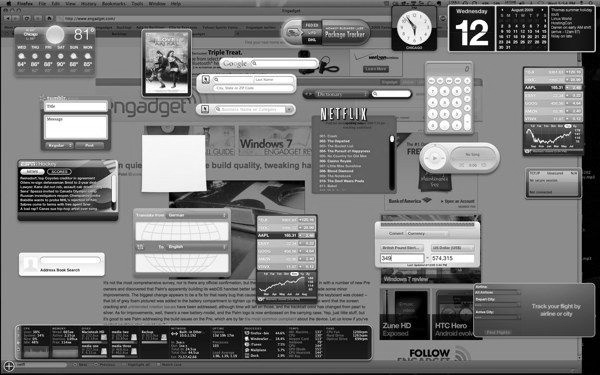
Gadgets & Widgets UI Guidelines
Consistencyというエントリーを読んだところで、UIパーツとしてガジェットないしウィジェットのガイドライン系をまとめたものがほしいと思ったので、いろいろ探して整理してみた。
Google Wave
iGoogle
Google Desktop
Windows Desktop
Windows Sidebar
Yahoo!
- Konfabulator 4.5 Reference Manual – Yahoo! Widgets
- Konfabulator Tools and Documentation – Yahoo! Widgets
- Yahoo!ウィジェット – 開発ツール
Apple (Dashbord)
- Mac Dev Center: Dashboard Programming Topics: Designing Widgets
- Dashboard Programming Topics – ウィジェットのデザイン
iPhone Human Interface Guidelines
Android
Opera
Creating & maintaining a web style guide
pebbleRoad Studios: Creating & maintaining a web style guide
http://www.pebbleroad.com/article/creating_maintaining_a_web_style_guide/
ということで、シンガポールで設計コンサルタントをしているという「PebbleRoad」ブログから引用。
『ウェブスタイル・ガイド』としているようですが、ウェブサイトを構築したあとの運用をメインにした際のガイドラインでしょうかね。
下記のようなアウトラインとしているようなので、ガイドライン作成時に参考にしてもいいのではないでしょうか。
Web style guide TOC:
- Why is this style guide important?
- When should we use this guide?
- What are ‘templates’ and why should we care?
- Information architecture guidelines
- Using the [company] logo
- Masthead (or header)
- Footer
- Color palette
- Typography
- Images & media
- Accessibility
- Authoring guidelines (or how to write web content)
- Legal considerations (or web policies)
- Technology considerations
- Templates/CSS downloads
- Contact & support information
When applicable, I use the following instructional model to communicate each item:
- The guidelines
- Examples (or how flexible can we be?)
- Non-examples
- XHTML code (if any)
- CSS rules (if any)
- Downloads (if any)
Maish Nichani氏は下記サイトも編集をしているようです。
elearningpost
http://www.elearningpost.com/
The Guided Wireframe Narrative for Rich Internet Applications
The Guided Wireframe Narrative for Rich Internet Applications – Boxes and Arrows: The design behind the design
http://www.boxesandarrows.com/view/the_guided_
wire
Wireframes. We’ve all done them. We’ve all had to make sure our clients look at placement, labels, flow, and real estate distribution?but ignore color and design at all cost because, after all, they are wireframes.
ということで、andres zapata氏がRIA (プロトタイプ) についてのワイヤーフレームの物語 (?) をまとめているので興味深い。
ここではVisioが前提のようで、HTMLよりやりやすいということが書かれていますが、ワイヤーフレームの目的と使い方によってそのあたりは意見が分かれるところでもあると思います。
Apple Style Guide (2006 version)
InfoDesign: Understanding by Design – News | News flash
http://www.informationdesign.org/archives/003614.php#003614
The Apple Publication Style guide provides editorial guidelines for text in instructional publications, technical documentation, reference information, training programs, and the software user interface.” (Apple Developers Connection) – courtesy of usablehelp
ということで、Appleのパブリシティ関連のデザインガイドライン最新版 (2006年度版) が公開されているようですね。
PDFは下記から取得できます。
http://developer.apple.com/documentation/UserExperience/Conceptual/APStyleGuide/AppleStyleGuide2006.pdfhttp://developer.apple.com/documentation/UserExperience/Conceptual/APStyleGuide/AppleStyleGuide2006.pdf
Appleについては「User Experience Documentation」でいろいろと公開されているのですべて目を通すとかなり勉強になります。
User Experience Documentation
http://developer.apple.com/documentation/UserExperience/
IA’s Guide to Making Sitemaps
The Lazy IA’s Guide to Making Sitemaps – Boxes and Arrows
http://www.boxesandarrows.com/view/the_lazy_ia_s_guide_to_making_sitemaps
にサイトマップの作り方の記事があります。
1. ExcelとVisio2000かVisio2003 (Windows専用)
2. Wordとインスピレーション (Mac OSとWindows)
について書かれているようです。

インポートとエクスポートでできるのはわかるんですが、そのあとの編集・更新がしにくくなるのが難ですね。
以前試しにExcelとVisioの連携をしたことがあるんですが、単純なツリーでしかうまくダイヤグラム化できないんですよね……。
アウトラインの編集であれば、Excelを使うより単純なアウトラインプロセッサでしてしまったほうが速いですし (慣れの問題かも知れませんが)。
ちなみに、よく使うパターンは、インスピレーション (Win) とVisio2003ですね。
インスピレーションは概要設計時やサイトオーディット時にサクッとつくるときに重宝しますね。
ポイントはダイヤグラムからはじめるのではなくアウトラインでつくるという点です。
ただ、インスピレーションだと視覚的にキレイに仕上げることが苦手なのでどうしたもんかといつも悩みます。
地道にVisioで描いていくこともいいんですが、構造という点を機械的に処理したいときはただのドローソフトだとつらいですね。「Ridual」も試そうと思ったこともあるんですが断念しています。
ほかにもっといいソフトがないか探索中。
Windows Vista UX Guidelines (preliminary)
「Windows Vista」の発表があってとくにブログにも書かなかったのですが、β版がすでにダウンロードできるんですね。
Microsoft Windows Vista Developer Center
http://msdn.microsoft.com/windowsvista/
Download the User Experience Guidelines
A new shell and presentation system in Windows Vista makes it easy for you to integrate visually-rich and dynamic user experiences into your applications.
Download the guidelines.
ということで、β版のダウンロードよりこちらのガイドラインのほうが目についたので早速「Windows Vista UX Guidelines」をダウンロードしてみました。
Download details: Windows Vista UX Guidelines (preliminary)
http://www.microsoft.com/downloads/details.aspx?FamilyID=FD380553-911E-4659-A085-4DD58AE4B9AE&displaylang=en&Hash=T7VNW69
1つあったのがシステムフォントが変わりますね。

System Font (Segoe UI)
This is preliminary documentation and is subject to change.
Segoe UI (pronounced, “SEE-go”) is the new MicrosoftR Windows Vista? system font. It is designed specifically for user interfaces and is optimized for ClearType font technology.
With the introduction of Segoe UI, Windows improves the consistency in how users see all text across all languages. The design of the Segoe UI letterforms is also tightly aligned with the Aero principles and design goals.
ボチボチ見ていこうかと。
Durability of Usability Guidelines
Durability of Usability Guidelines (Jakob Nielsen’s Alertbox)
http://useit.com/alertbox/20050117.html
About 90% of usability guidelines from 1986 are still valid, though several guidelines are less important because they relate to design elements that are rarely used today.
ということで、ユーザビリティに関するガイドイランがAlerboxでも紹介されています。
これによると、90%はまだ従来のガイドラインが有効で残りの10%が最近の動向を踏まえて刷新することになると。
Guidelines for reviewing usability test reports
http://www.userfocus.co.uk/resources/researchquestions.html
sability practitioners are called on, not only to conduct many research studies during their careers, but also to read, review, and advise on usability studies that have been conducted and reported by others. The ability to critically review the research of others, and to help stakeholders weigh up the merits or shortcomings of research data and conclusions, is an extremely valuable skill. These checkpoints will help you ensure your review covers the key issues.
ということで、ユーザビリティテストのチェックポイントのガイドラインが公開されていますね。
下記からPDFをダウンロードできます。
Use this version as a working checklist to evaluate a usability study.
Research checklist (pdf format, 60KB).
Research-Based Web Design & Usability Guidelines
http://usability.gov/pdfs/guidelines.html
に「Research-Based Web Design & Usability Guidelines」というガイドラインの情報があります。
これをアクセシビリティについて活発な活動をされているインフォアクシア (植木さん) が翻訳されているのでご紹介。

『Research-Based Web Design & Usability Guidelines』日本語訳 ? インフォアクシア
http://www.infoaxia.com/resources/research_based/index.html
最近更新された「第2章:ユーザー・エクスペリエンスの最適化」なんかはまさにウチが専門分野としてあつかっている分野なだけにこういう活動 (翻訳) には脱帽です。
第2章:ユーザー・エクスペリエンスの最適化 ? インフォアクシア
http://www.infoaxia.com/resources/research_based/chapter02/index.html
Working Drafts: Techniques for Web Content Accessibility Guidelines 2.0
![]()
Archive of W3C News in 2004
http://www.w3.org/News/2004#item185
にWCAG2.0のテクニック集があるようですのでメモl。
Working Drafts: Techniques for Web Content Accessibility Guidelines 2.0
2004-11-19: The Web Content Accessibility Guidelines (WCAG) Working Group has released a First Public Working Draft of Client-side Scripting Techniques for WCAG 2.0 and three updated Working Drafts: HTML Techniques for WCAG 2.0, CSS Techniques for WCAG 2.0, and General Techniques for WCAG 2.0. The drafts give guidance on using HTML, XHTML, ECMAScript and Cascading Style Sheets (CSS) to create accessible content. Deprecated examples illustrate techniques that content developers should not use. Read about the Web Accessibility Initiative. (News archive)
Client-side Scripting Techniques for WCAG 2.0
http://www.w3.org/TR/2004/WD-WCAG20-SCRIPT-TECHS-20041119/
HTML Techniques for WCAG 2.0
http://www.w3.org/TR/2004/WD-WCAG20-HTML-TECHS-20041119/
CSS Techniques for WCAG 2.0
http://www.w3.org/TR/2004/WD-WCAG20-CSS-TECHS-20041119/
General Techniques for WCAG 2.0
http://www.w3.org/TR/2004/WD-WCAG20-GENERAL-20041119/